
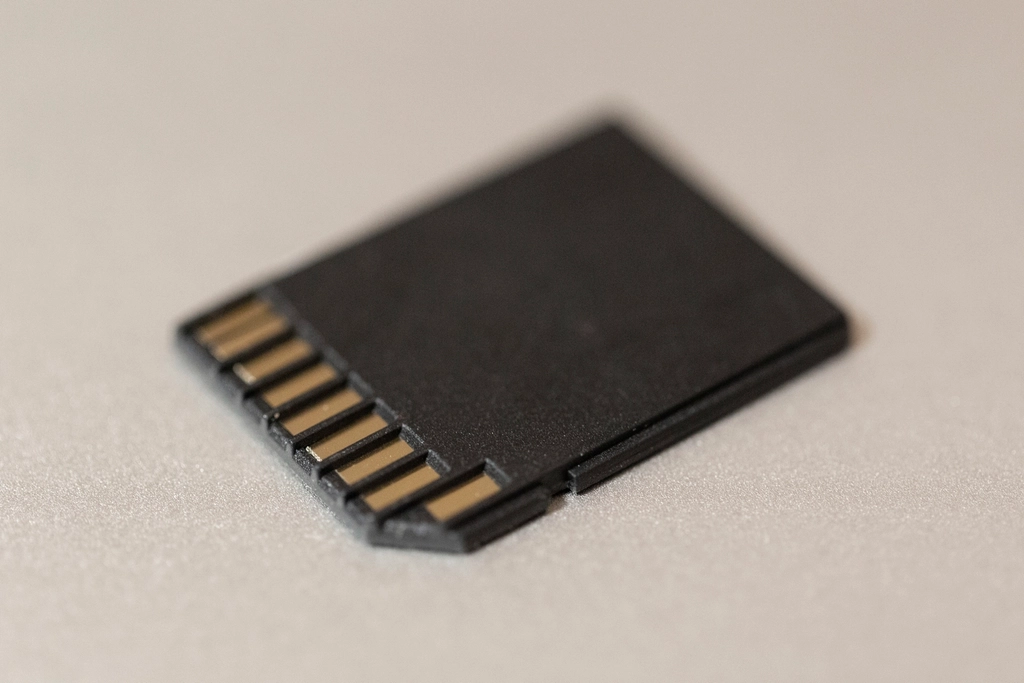
Your camera shows a card error and your stomach drops. Here is what to do in the first few minutes, which recovery options actually work, and how to keep it from happening again.
This guide is general information for creators and businesses in the U.S., not legal advice. Copyright, licensing and drone rules depend on the facts and change over time; check the Copyright Office, the FAA or a lawyer for your situation.
Quick notes
- Most card corruption damages the file system’s index, not the files themselves, so photos and videos are often still on the card.
- Stop using the card immediately and refuse every prompt to format, repair or run the camera’s built-in recovery.
- Try a different card reader, USB port or the camera’s own cable before assuming the files are gone.
- Recovery software can scan a card your computer still recognizes, and many programs preview files before you pay.
- Format cards in the camera after every offload, eject safely and keep a backup so no shoot depends on one card.
A card that worked fine yesterday can fail today: the camera shows an error, the computer asks you to format the disk, or the folders come up empty. It feels like every file is gone, but in most cases the photos and videos are still on the card, and the problem is the card’s filing system rather than the files themselves. What you do in the first few minutes decides how much of the shoot you get back.
What Card Corruption Actually Is
An SD card stores two kinds of information: the files themselves and a file system that maps where each one lives. When a card gets corrupted, the map is usually what breaks. The SD Association describes this as losing the navigation path to the data: the photos and videos still exist, but the card can no longer point to them, so your camera or computer reports the card as empty or unreadable.
Formatting works the same way. A format tells the card that its files are available to be overwritten; it does not scrub them off the card. Until new data lands in the same spot, the old files are simply hidden. Deleting a photo is similar: the entry in the index disappears, while the file’s data stays put until the space is needed. That is why recovery is possible, and why timing matters.
Why Memory Cards Get Corrupted
Most data loss on SD cards comes down to user error or card error. The most common mistake is pulling the card out before it has finished writing. Cards keep writing data for a short time after you think you are done, and many devices give no light or screen message to show the card is still in a write state.
Other causes named by the SD Association include:
- Power loss or a power drop below the card’s operating specification, especially while data is being written
- A corrupted file system, which leaves the data in place but unreachable
- Contamination from poor handling, often from contact with liquids
- Fake or poor-quality imitation cards, which are widespread and not built to the standards of cards from established makers
Stop Using the Card Right Now
The moment something looks wrong, take the card out and set it aside. Every new photo you shoot on that card risks landing in space where a recoverable file still lives, and once that happens the old file is gone for good.
Resist three urges in particular:
- Do not keep shooting on the card to test it
- Do not accept the camera’s offer to run an internal recovery or repair, because those processes can overwrite data
- Do not format the card, even when your computer says it needs to be formatted before use. The computer cannot see the files, but that does not mean they are not there
Careful: Formatting before recovery is the one mistake that can make your files permanently unrecoverable. Scan and copy everything off the card first, and format only after your images are confirmed safe.
If the card died in the middle of a paid job, swap in a spare and keep working. Mark the problem card clearly so it does not slip back into rotation, and deal with it at a computer where you can work slowly.
Try a Different Reader, Port or Camera
Sometimes the card is fine and the reader is the problem. In one thread on a memory card maker’s support forum, a videographer’s files looked corrupt through his card reader but opened perfectly straight from the camera. Before assuming the worst, work through the cheap checks.
- Put the card in a different card reader, or a different USB port
- Connect the camera to the computer with a USB cable and browse the card through the camera, which skips the reader entirely
- Try the card in another camera, if one is handy, to see whether it mounts there
If the files show up through any of these routes, copy everything to your computer’s drive right away. Save the files to a different disk than the card they came from, which sounds obvious but gets forgotten in a panic. Do not try to fix anything on the card at this stage.
Recovering Files With Software
If your computer still recognizes the card, your odds are good. As long as the card can be plugged in and detected, there is a solid chance you can salvage the files yourself, even after an accidental deletion or a quick format.
Recovery software scans the card directly and rebuilds the file list from the memory chips, bypassing the broken index. Most programs follow the same pattern:
- Download recovery software to your computer and connect the card
- Run a scan, which can take a while on large cards
- Preview what the scan finds, so you can see whether your photos and videos are actually there
- Recover the files to a separate drive, never back onto the same card
Many programs offer free scans or trials that show previews of recoverable files before you pay anything, so you can check whether your images are intact before spending money. Expect some quirks: folder structure sometimes does not survive recovery, and a few files may come back damaged, with partial images or frozen video frames. Photo repair tools can fix some damaged files after recovery, though not all of them.
One limit to know about. Recovery software handles lightly damaged cards, as long as the computer reads the card with its correct capacity. It may not help after a full format, or after a format performed in a camera that uses the card’s erase commands, because in those cases the memory blocks can be overwritten with zeros.
When a Professional Recovery Service Makes Sense
Software only works on cards a computer can still see. If the card is not detected at all, was damaged by water or a drop, or holds work worth far more than the recovery fee, hand it to a professional data recovery service instead of experimenting further. Heavily damaged cards need lab work that software cannot do.
Prices vary, so ask for a quote first. In one widely shared example, a camera store quoted $25 just to inspect a card and $15 for every 25 pictures recovered, which worked out to more than $600 for a card holding over 1,000 images. Per-image pricing on a full card adds up fast, and software costs far less when the card is still readable.
You can also contact the card manufacturer directly. The SD Association, which sets the card standards, does not make or sell cards and sends consumers with product problems to the manufacturer.
Preventing It Next Time
Prevention is cheaper than recovery, and none of it is complicated.
- Format the card in the camera it will be used in, after every offload. The SD Association recommends formatting tools designed for SD cards over generic operating system formatters, which can leave cards with lower performance
- Eject properly. Wait for the camera to finish writing and use your computer’s eject option instead of pulling the card
- Buy cards from established makers through sellers you trust, since counterfeits are common
- Retire any card that has thrown errors before. A card that corrupted once is more likely to do it again, and a new card costs far less than a reshoot
The biggest protection is a habit: nothing lives on only one card. Copy files to your computer, then to a backup, before you reuse or format a card. A backup setup built on the 3-2-1 rule keeps a client shoot from depending on a single card. Give the rest of the kit a routine too; our camera maintenance timeline covers what to check and when.
A corrupted card is frightening but rarely final. Stop using the card, refuse every offer to format or repair, and try a different reader and recovery software before paying anyone. For the habits that keep this from happening again, see Backing Up Photo and Video Files: The 3-2-1 Rule for Small Businesses and Before You Send a Client Their Photos: A Delivery Checklist.
FAQs
Can I recover photos after formatting a memory card?
Often yes after a quick format, because the files stay on the card until overwritten. Recovery may fail after a full format or a camera format that uses the card’s erase commands, so scan the card before shooting anything new.
Why does my computer say the card needs to be formatted?
The file system is damaged, so the computer cannot find its index, and the files may still be there. Formatting wipes the index and marks the space as available, which can make recovery impossible.
How much does professional memory card recovery cost?
Prices vary by service and by how damaged the card is, so ask for a quote first. Some shops charge per image, which gets expensive on a full card, and software is far cheaper if the computer still detects the card.
How do I keep memory cards from getting corrupted?
Format the card in the camera after every offload, wait for writing to finish before ejecting, buy cards from established makers and retire any card that has thrown errors before.