
Gear fails on its own schedule unless you give it one. This timeline runs from five-minute pre-shoot checks to yearly deep cleans, plus the signs that a camera needs professional service.
This guide is general information for creators and businesses in the U.S., not legal advice. Copyright, licensing and drone rules depend on the facts and change over time; check the Copyright Office, the FAA or a lawyer for your situation.
Quick notes
- Sensor cleaning only needs to happen once or twice a year if basic care happens regularly, according to a survey of more than 100 photographers.
- Check for sensor dust before every paid shoot by photographing a plain surface with the lens stopped down and viewing the file at 100 percent on a computer.
- Firmware updates can add real features, such as Nikon’s Z9 auto capture in firmware 4.0, so check the maker’s site twice a year.
- Humidity, salt air and temperature swings damage gear faster than occasional dust, so dry storage matters as much as cleaning.
- Some manufacturers offer free repairs even after the warranty expires through service advisories, so check your serial number with the maker now and then.
Gear fails on its own schedule unless you give it one. A dust spot shows up in the sky of a paid shot, or a lens goes hazy, and maintenance turns urgent overnight. This timeline splits the work into small chunks: five minutes before a shoot, a short monthly session, a longer one twice a year, and a deep clean once a year.
Why a Maintenance Schedule Pays for Itself
One camera cleaning company surveyed more than 100 photographers across different shooting styles, and almost everyone landed on the same point: sensor cleaning does not need to happen often. Once or twice a year covers most shooters as long as basic care happens regularly. The costly problems come from skipping the basics. Humidity, salt air and temperature swings do more damage than occasional dust, and a delayed wipe-down can turn into a repair bill. A schedule also protects paying work: a five-minute sensor check beats a reshoot.
| When | What to do |
|---|---|
| Before every shoot | Charge batteries, check the sensor, blow off lenses |
| Monthly | Clean body and lenses, check contacts and screens |
| Twice a year | Sensor cleaning, firmware updates, battery review |
| Yearly | Deep clean, inspect seals, caps and storage |
| Between jobs | Dry storage with caps on |
Before Every Shoot: Five Minutes of Checks
The most valuable check is also the fastest. Photograph a plain wall or patch of blue sky with the lens stopped down, then open the file on a computer and view it at 100 percent. Dust is most visible in bright, even parts of a scene at small apertures, which is exactly where it wrecks a product shot. Camera service shops recommend running this test before any important job, event or trip.
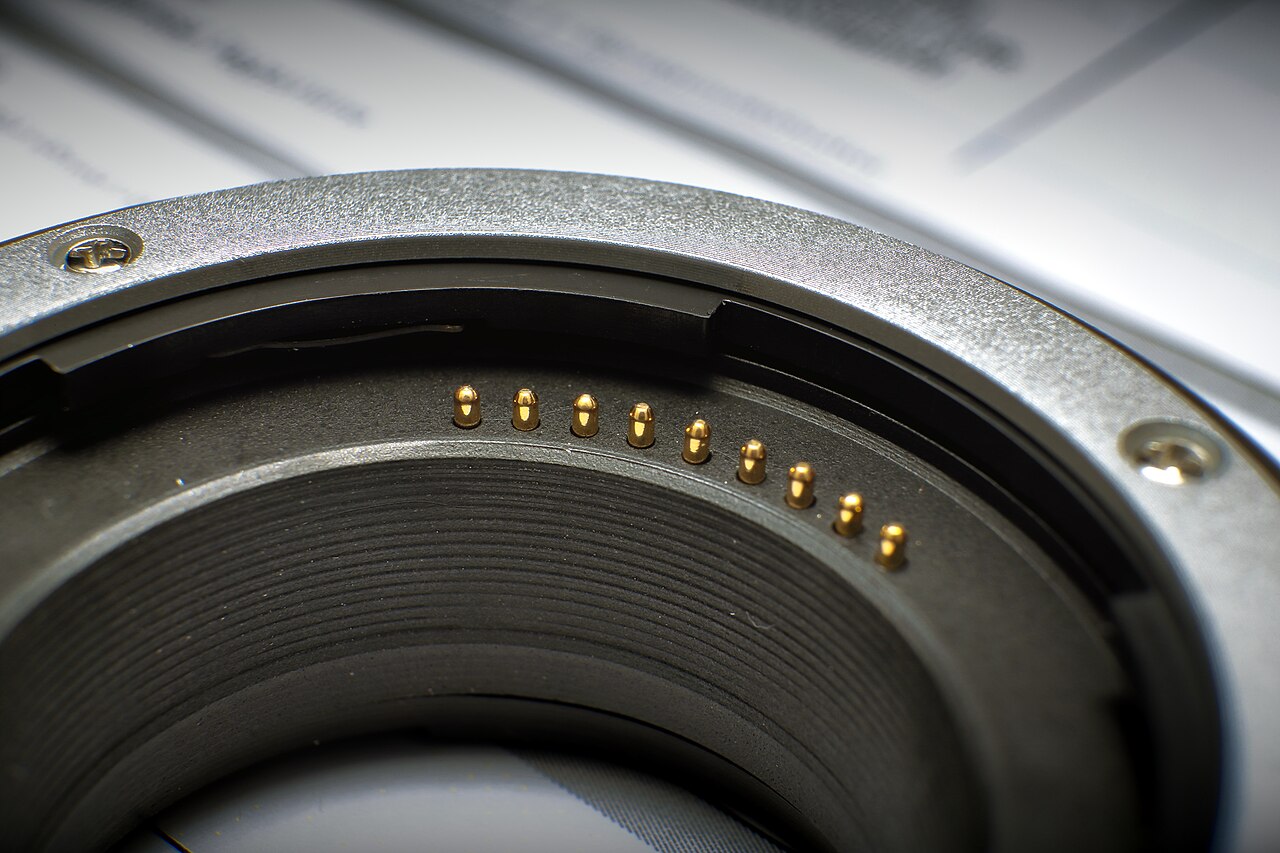
Then do the physical checks. Blow loose dust off the front and rear elements, wipe fingerprints only where you see them, confirm the mount contacts look clean, and pack a charged spare battery.
Monthly: Body, Lenses and Contacts
A monthly rhythm works even if the camera sat in a bag all month, because dirt accumulates either way. Always start with a blower, since wiping dusty glass straight away scratches the coating, and keep the blower tip from touching the lens. Then apply a little cleaning solution to lens paper or a microfiber cloth and wipe the front element in a swirl from the center outward, using barely any pressure. Some lenses carry antifouling coatings that cleaner solution can damage; wipe those dry instead. Never use paper towels or ordinary tissues on glass.
Finish by blowing dust out of the zoom and focus ring grooves, wiping the barrel dry, and giving the body a soft-cloth wipe. In spring, pollen and grit ride the wind, so cap the lens between shots and blow the front element down after sandy work.
Twice a Year: Sensor, Firmware and Batteries
This is the checkpoint for the sensor. The self-cleaning shake many cameras run at startup helps, but it will not shift sticky debris such as pollen. If dust sits mid-frame where cropping cannot hide it, clean the sensor with proper swabs or hand the body to a service shop. Shooters who work at small apertures, such as macro, often clean two or three times a year; lighter shooters can wait.
Check firmware at the same checkpoint, because updates add more than bug fixes. Nikon’s Z9 gained auto capture and bird subject detection in firmware 4.0, and the Z6III’s 2.0 update added a focus limiter and webcam functions. Download from the manufacturer’s site for your exact model, start with a fully charged battery, and never interrupt the update. Cycle every battery too, and retire any that swell or drain fast.
Yearly: Deep Clean, Seals and Storage
Once a year, do the session the monthly routine skips. Clean the sensor if you have not already, work through every lens front and back, clean viewfinder eyepieces and rear screens, and inspect weather seals and both lens caps for cracks or grit.
Studio tip: Stick a double-sided tab inside the body cap and the rear lens cap. Stray dust behind the lens sticks to the tab instead of the sensor. Use low-tack tape so it comes off cleanly.
Storage deserves the same attention, because fungus grows inside gear in humid conditions and can mean an expensive repair. Keep equipment dry with caps on, some airflow and a desiccant pouch in the bag or cabinet. Wipe the body down after every outing, especially coastal or dusty ones. Fold backup into the same ritual: cards come off the camera and get copied before anything goes on the shelf. Our guide to protecting your photo and video files covers a routine that fits.
When to Send Gear in for Service
Some problems should not wait for the calendar. Haze or fungus inside a lens, dust that reappears right after cleaning, sticky buttons, mounting errors, or any drop or water exposure all justify a service visit, and the sooner you act the less it usually costs.
Check for service advisories before paying for anything, too. Manufacturers occasionally announce free repair programs, and they can cover more than people expect: Nikon committed to repairing affected Z6III, Z5II and ZR bodies built with out-of-spec parts free of charge even after the warranty expired, with shipping covered both ways. Those programs reach you only if you look, so run your serial number through the maker’s lookup page now and then.
Steady maintenance pairs with steady prep, and the same mindset covers the rest of the kit. Keep a support that does not wobble or creep; our guide in cameras and gear walks through what actually matters in a tripod. And before the next booking, run through our lighting checklist so the setup gets the same treatment as the camera.
You may also want to read Buying a Tripod: What Actually Matters and Getting Started With Shooting in Manual Mode.
FAQs
How often should I clean my camera sensor?
For most shooters, once or twice a year is enough as long as routine care like blowing off lenses and wiping the body happens regularly. Run a quick sensor test before any important job, since dust shows up most at small apertures.
Can I clean my own sensor?
Yes, using proper swabs and a blower, or you can hand the body to a service shop. Note that a camera’s built-in sensor shake only moves loose dust; sticky debris such as pollen usually needs a wet clean.
Do firmware updates actually matter?
They can. Nikon’s Z9 gained auto capture and bird subject detection in firmware 4.0, and the Z6III’s 2.0 update added a focus limiter and webcam functions. Check the manufacturer’s site for your exact model.
When should gear go in for professional service?
When you see haze or fungus inside a lens, dust that returns right after cleaning, sticky buttons or mounting errors, or after any drop or water exposure. Also check for manufacturer service advisories before paying for a repair.